
Home security has evolved dramatically in recent years. What once required expensive professional installation and long-term contracts can now be set up in an afternoon with equipment you order online. But with so many options available, choosing the right system for your home can feel overwhelming.
This guide breaks down everything you need to know about smart home security systems in 2025—from basic components to advanced features, costs, and the critical differences between professional and DIY options.
Why Home Security Matters More Than Ever
The statistics paint a clear picture:
- A burglary occurs every 25.7 seconds in the United States
- Homes without security systems are 300% more likely to be targeted
- Average loss per burglary: $2,661 in property
- 83% of burglars check for alarm systems before attempting entry
Beyond theft prevention, modern security systems offer fire detection, carbon monoxide monitoring, water leak alerts, and the peace of mind that comes from being able to check on your home from anywhere.
Core Components of a Smart Security System
Control Panel/Hub
The brain of your system. Modern hubs connect all your sensors and cameras, communicate with monitoring services, and provide the interface for arming/disarming. Many now include touchscreens, voice control, and smartphone integration.
Door and Window Sensors
These magnetic sensors detect when entry points are opened. Essential for any security setup, they trigger alerts instantly when breached while the system is armed.
Motion Detectors
Infrared sensors that detect movement within your home. Modern versions can distinguish between pets and humans, reducing false alarms while maintaining security.
Security Cameras
Indoor and outdoor cameras provide visual verification of alerts and continuous recording. Features to look for include HD resolution, night vision, two-way audio, and cloud storage.
Smart Doorbell
Video doorbells let you see and speak with visitors from anywhere. They record all activity at your front door—the most common entry point for package thieves and burglars casing homes.
Smart Locks
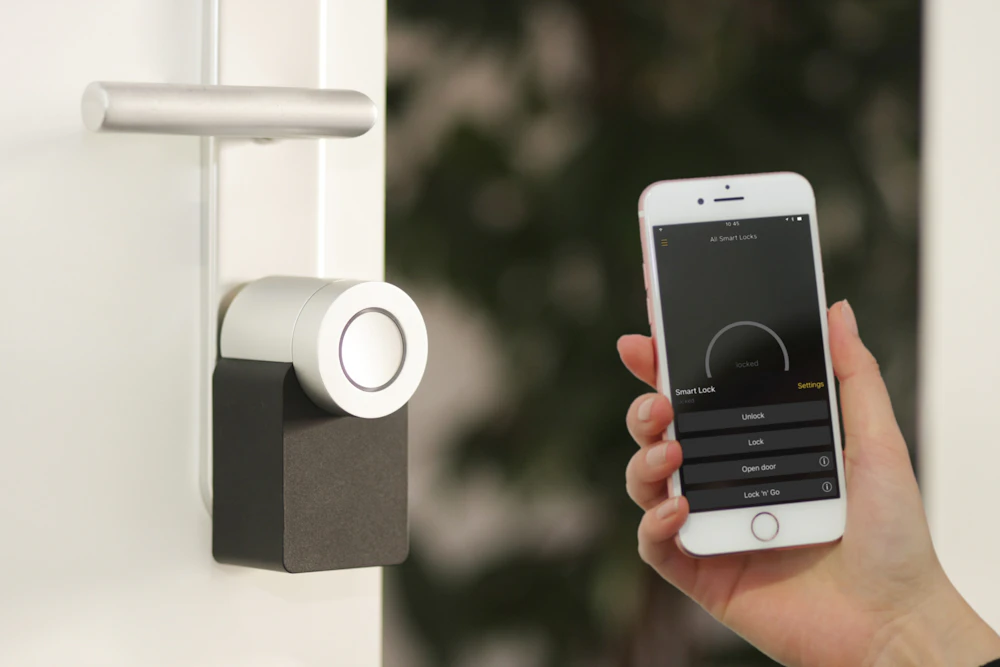
Keyless entry with remote control capabilities. Grant temporary access to guests, lock or unlock remotely, and receive alerts when doors are accessed.
Professional Monitoring vs. Self-Monitoring
Professional Monitoring
A monitoring center watches your system 24/7 and contacts emergency services when alarms trigger. Monthly fees typically range from $15-45. Benefits include:
- Immediate response even when you can't check your phone
- Verified alarm dispatch (reduces false alarm fines)
- Fire and medical emergency response
- Often required for insurance discounts
Self-Monitoring
You receive alerts directly and decide how to respond. No monthly fees beyond optional cloud storage. Best for:
- Budget-conscious homeowners
- Tech-savvy users who check notifications promptly
- Those who want control over emergency response
- Renters or temporary living situations
DIY vs. Professional Installation
DIY Installation Advantages:
- Lower upfront costs (no installation fees)
- Flexibility to relocate equipment easily
- No appointments or strangers in your home
- Usually no long-term contracts required
Professional Installation Advantages:
- Expert placement for optimal coverage
- Hardwired options for reliability
- Integration with existing home systems
- Technical support and maintenance included
Key Features to Evaluate
When comparing systems, prioritize these features based on your needs:
- Cellular backup: System works even if internet/power is cut
- Battery backup: Continues operating during outages
- Smart home integration: Works with Alexa, Google Home, Apple HomeKit
- Geofencing: Automatically arms/disarms based on your location
- Video verification: Cameras confirm alarm causes before dispatch
- App quality: Intuitive interface for daily use
- Expandability: Easy to add sensors and devices over time
Understanding the True Cost
Home security costs break down into several categories:
Equipment Costs
DIY starter kits: $150-400. Professional systems: often subsidized but may require contracts. Average complete setup: $300-600 for a typical home.
Monthly Monitoring
Self-monitoring: $0-10/month (cloud storage fees). Professional monitoring: $15-45/month depending on features and response level.
Installation
DIY: Free. Professional installation: $100-300 or waived with monitoring contracts.
Hidden Costs to Watch For:
- Early termination fees on contracts
- Equipment upgrade charges
- Additional camera cloud storage
- False alarm fines from local authorities
Insurance Benefits
Many homeowners insurance policies offer discounts for monitored security systems:
- Basic alarm systems: 5-10% discount
- Monitored systems: 15-20% discount
- Comprehensive smart systems: Up to 25% discount
Check with your insurance provider—the savings may offset monthly monitoring costs.
Making the Right Choice
The best security system depends on your specific situation:
For Renters: Wireless DIY systems that you can take when you move. No drilling, no contracts, easy setup.
For Homeowners: More comprehensive systems with professional monitoring. Consider hardwired options for reliability.
For Tech Enthusiasts: Systems with strong smart home integration and open APIs for customization.
For Simplicity: All-in-one solutions with professional installation and monitoring—set it and forget it.
The Bottom Line
Home security technology has never been more accessible or affordable. Whether you choose a professional system with 24/7 monitoring or a DIY setup you manage yourself, the important thing is taking that first step to protect your home and family.
Start by assessing your home's vulnerabilities, set a realistic budget, and choose a system that you'll actually use consistently. The best security system is one that fits your lifestyle and gives you genuine peace of mind.


